BD NET VPN
- 4.5
- Rating
- 10.00M
- Installs
- Free
- Price

 Analysis by App-foxy
Internet access becomes frustrating when a connection works for ordinary browsing but struggles with a particular network, location, or protocol. That is the recurring problem BD NET VPN tries to remove. Instead of repeatedly changing settings or searching for a separate connection tool, I can open one utility and use it as a single place for VPN access. In my experience, that convenience matters more than flashy extras: the value is in reducing the number of steps between deciding to connect and actually getting online.
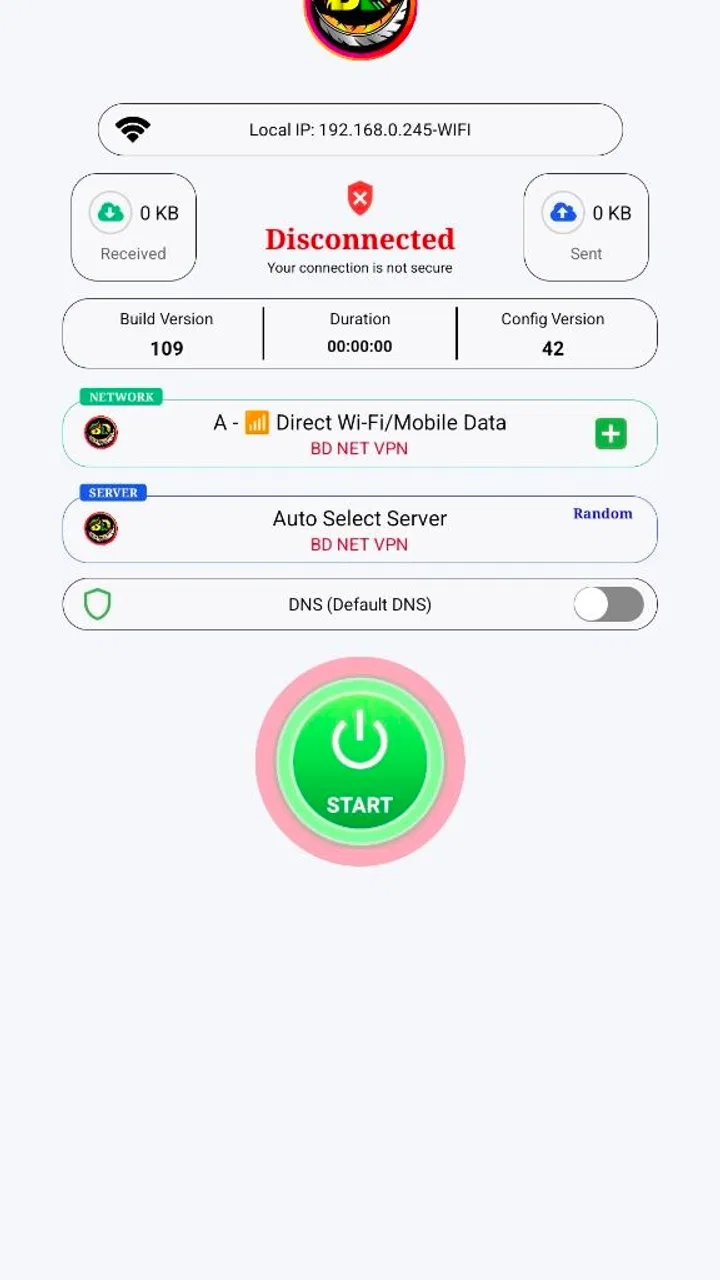
BD NET VPN is a free tools app from SulitNet Solutions for Android users who want a VPN client with support for multiple protocols. Its store summary presents it as secure and stable, while the short description identifies it simply as “BD NET VPN.” I would describe it as a practical connection utility rather than a full privacy suite. It focuses on the VPN task itself, which makes it easier to understand than apps that combine browsing, antivirus tools, password storage, and several unrelated services in one interface.
Where BD NET VPN fits into everyday use
The app has built a sizeable audience, with an average rating of 4.5 from around 97 thousand ratings and more than 10 million installs. Those figures do not prove that every connection will be smooth, but they do suggest that the basic workflow has been useful to many Android users. The app is free, carries an Everyone age rating, and is available on devices running Android 7.0 or later. That broad compatibility is helpful if you are using an older phone rather than a recent flagship.
You May Also Like

 Blood Strike: 2.5 Anniversary
Blood Strike’s Loadouts Turn Every Drop Into a Tactical Gamble
A close look at Blood Strike’s custom loadouts: how fast access to signature weapons reshapes its battle royale rhythm, rewards preparation, and narrows the gap between fights.

 Pandora - Music & Podcasts
Pandora’s Music Is Easy to Start, but Harder to Recover
Pandora’s strength is its low-effort path from a seed to a station. Its weak spot is how much confidence it asks you to place in connection, setup, and quiet recovery.

 8 Ball Pool
 Is Built on Rivalries, Rematches, and Routine
A close look at the rivalries, rematches, shared routines, and unanswered safety questions that turn a quick pool match into a persistent mobile community.

 Samsung Music
’s Quiet Strength Is Playing What You Already Own
Its reach comes less from spectacle than from dependable access to a personal library. That simplicity is both the app’s strongest retention engine and its ceiling.

 AccuWeather: Weather Radar
AccuWeather Review: A Quick, Clear Forecast for Everyday Decisions
For everyday plans, the best forecast is the one you can understand quickly. AccuWeather makes rain timing, radar, and local conditions easy to act on, with a few trade-offs.

 Hill Climb Racing
Why Hill Climb Racing Still Turns Crashes Into One More Run
A tiny car, a bumpy hill and one more upgrade: Hill Climb Racing keeps resurfacing because its simple chaos makes every near-miss feel personal.
More From Our News Desk



I see the main appeal in situations where a VPN is not something I want to configure from scratch every time. A person may need to protect traffic while using public Wi-Fi, test whether a connection issue is related to a network route, or use a protocol that behaves better on a particular connection. BD NET VPN gives that person a dedicated tool instead of requiring manual VPN settings buried inside Android’s system menus.
That said, I would not treat the app as a magic solution for every internet problem. A VPN cannot repair a weak mobile signal, make an overloaded server fast, or guarantee access to every website and service. It changes how traffic is routed, and that can help in some cases while adding delay in others. The useful question is not whether a VPN is always faster or always safer; it is whether this particular utility makes your recurring connection task simpler.
The first setup is about reducing repeated decisions
When I first approach a VPN app, I want to know how quickly I can reach a working connection without understanding networking terminology. BD NET VPN is most useful when I treat the initial setup as a short orientation session. I would check the available connection choices, note which protocol options are exposed, and establish a baseline by trying the app on the network I use most often. That gives me something meaningful to compare later instead of changing several things at once.
The multiple-protocol approach is one of the app’s more practical ideas. Different networks can react differently to VPN traffic, so a protocol that connects comfortably on home Wi-Fi may not behave the same way on mobile data or a crowded public hotspot. If one option stalls, switching to another can be more productive than repeatedly pressing the same connect button. This is a concrete advantage over relying only on Android’s manual VPN screen, where the setup can feel more technical and less convenient to adjust.
My advice is to test the app before you urgently need it. Open it at home, connect, disconnect, and reconnect once. Then repeat that process on mobile data if you use both. This simple check reveals whether the app fits your routine and prevents the first real use from happening when you are already standing in a poor-signal area or trying to access something time-sensitive.
It is also worth keeping your expectations clear about the current build. The app identifies its current version as PrinceBuild104. I would use that version label as a reminder to check the app after updates rather than assuming that a setting or connection behavior will remain identical forever. VPN utilities can feel stable one week and require a different choice the next, especially when the surrounding network changes.
Practical scenarios where the time savings are noticeable
A realistic everyday example is working from a café. I connect to the café’s Wi-Fi, open BD NET VPN, and use the app before handling anything that requires a more private connection. The benefit is not that I can forget all security concerns; I still avoid entering sensitive information on an unfamiliar network when it is unnecessary. The benefit is that the VPN step is visible and repeatable. I do not have to navigate through Android settings, create a profile, and remember which configuration I used last time.
Another scenario is troubleshooting a connection that behaves strangely. Suppose a website loads on mobile data but not on a particular Wi-Fi network. I can try the VPN as a diagnostic step. If the site works through the VPN, the problem may involve routing or filtering on the original connection. If it still fails, I know that changing the route did not solve it and can stop wasting time toggling VPN settings. This makes the app useful not only for privacy-conscious browsing but also for narrowing down where a network problem may be occurring.
Protocol choice becomes more valuable when a connection is inconsistent rather than simply offline. On one network, a connection may establish quickly but become unreliable after a few minutes. On another, the first option may not connect at all. Rather than judging the whole app after one failed attempt, I would try a different supported protocol and compare the experience during the same task. The trade-off is a few extra seconds of experimentation, but that is still less friction than rebuilding a VPN configuration manually.
There is also a travel-oriented use case, although I would keep it modest. When moving between home broadband, cellular data, hotel Wi-Fi, and public hotspots, a dedicated VPN app gives me one familiar workflow. I can check the connection state in the same place each time. It does not eliminate the need to verify that important services work correctly, but it makes the repeated connect-and-disconnect routine easier to remember.
For streaming, gaming, or large downloads, I would be more cautious. A VPN can add latency and may reduce performance depending on the route and server. If my priority is the lowest possible ping in an online game, I would first test the game with and without the VPN rather than leaving it permanently enabled. If I am downloading a large file, I would likewise compare stability and speed. BD NET VPN is better judged as a flexible access tool than as an automatic performance booster.
What the app removes from the usual VPN routine
The biggest friction removed is configuration repetition. Android’s built-in VPN controls can be perfectly adequate for someone who already knows the required details, but they are not especially friendly when I need to change approaches quickly. A dedicated app provides a more direct mental model: open the utility, select the connection approach that suits the network, and connect. That is especially useful for people who do not want to learn the technical vocabulary behind every setting.
The multiple-protocol design also changes how I respond to failure. With a single-option VPN, a failed connection can make the entire service feel unusable. With several protocol choices, I have another troubleshooting step available before giving up. This does not guarantee success, but it turns an unexplained failure into a small decision tree: check the network, try another protocol, reconnect, and then decide whether the issue is outside the app.
I find this workflow more useful than a long list of rarely used features. A tool that helps me connect in a few taps, recover from a failed attempt, and disconnect when I am finished can save more time than a crowded dashboard. BD NET VPN’s category placement as a tools app feels appropriate because its value is operational. I open it to perform a task, not to browse content or manage a large account ecosystem.
One habit improves the experience: disconnect when the VPN is no longer needed, especially if the connection affects speed or battery life on your device. Leaving any VPN active all day may be convenient, but it can also make it harder to notice when a website or app is behaving differently because of the changed route. I prefer to use it deliberately for public networks, troubleshooting, or situations where I specifically want the extra connection layer.
A second useful habit is to record your own preferred choice for each network type. I might find one protocol more dependable on home Wi-Fi and another more suitable for cellular data. This is not a universal rule, and it may change after an update or network change, but remembering what worked saves repeated trial and error. The app becomes more valuable when I use it as a small personal workflow rather than expecting one permanent setting to suit every connection.
Where I would be careful before relying on it
The word “secure” in a VPN description should not make me careless. A VPN can protect the connection between the device and the VPN service, but it does not make phishing pages trustworthy, remove malware from downloads, or replace good account security. I would still use strong passwords, keep Android updated, and check website addresses before signing in. BD NET VPN is a connection tool, not a complete security strategy.
I would also avoid assuming that every protocol is equally suitable for every activity. A protocol that connects successfully may still produce an unpleasant experience for video calls, multiplayer games, or high-resolution media. For those tasks, I would test stability rather than judging only by whether the connection indicator changes state. A connection that drops during a call is less useful than one that takes slightly longer to establish but remains steady.
Privacy expectations deserve the same careful treatment. Using a VPN changes which service handles the routed traffic, so I would read the app’s current privacy and permission information before making it part of my everyday routine. I would not install it solely because a VPN label sounds reassuring. The right decision depends on how comfortable I am with the service, what I plan to do through it, and whether I need a provider with more extensive transparency documentation or advanced controls.
There can also be compatibility friction. Some banking, shopping, workplace, and streaming apps may react differently when a VPN is active. If an app refuses to sign in or asks for extra verification, I would disconnect temporarily and test again before blaming the phone or the account. This is one reason I prefer a VPN that is easy to toggle: the solution is often not a complicated repair but a clear comparison with the VPN off.
People who need a carefully documented service for business travel, managed devices, or strict organizational requirements may want a different option. In those cases, support arrangements, administrative controls, and detailed policy documentation can matter more than a simple free Android utility. Likewise, users who need a VPN on several device types should compare platform coverage and management features before choosing. BD NET VPN makes the most sense for an Android user seeking straightforward personal use.
My verdict after weighing convenience against control
BD NET VPN succeeds at the problem I think it is designed to address: making repeated VPN connections less annoying. It is free, works with Android 7.0 and newer, and comes from SulitNet Solutions. Its 4.5 average and large install base show that it has reached many users, while its Everyone rating makes it approachable for a broad audience. I would recommend trying it if you want a simple tools app for public Wi-Fi, connection troubleshooting, or switching between protocol options without building VPN profiles by hand.
I would not recommend using it blindly for every online activity. Test the connection on your own networks, compare protocol choices instead of assuming one is best, and check whether important apps behave normally while it is active. For gaming, video calls, and large downloads, performance should decide whether it stays enabled. For sensitive work, I would also examine the app’s current privacy details and consider whether a more fully documented VPN provider better matches the risk involved.
My overall impression is that the app’s strongest quality is not complexity but repeatability. Once I understand which connection choice works in a given situation, I can return to that routine instead of starting over in system settings. If your main goal is to save time and remove VPN setup friction on Android, BD NET VPN is worth a practical test. If you need advanced management, guaranteed performance, or a service selected primarily for extensive privacy documentation, I would look beyond this straightforward utility.
After using it, I would keep it installed only if it earns a place in my actual routine: public Wi-Fi protection, quick route testing, or a dependable alternative when one network does not cooperate. That is a sensible standard for any free tools app. BD NET VPN does not need to solve every networking problem to be useful; it needs to make the problems it targets easier to handle, and that is where I find its clearest value.
FAQs for BD NET VPN
01What is BD NET VPN, and how does it work?
BD NET VPN is a virtual private network application designed to enhance your online privacy and security. It works by encrypting your internet connection, routing it through a secure server, and masking your IP address. This ensures that your online activities remain private and protected from hackers and surveillance.
02Is BD NET VPN free to use?
BD NET VPN offers both free and premium versions. The free version provides basic features with limited bandwidth, while the premium version offers enhanced features such as faster connection speeds, more server options, and unlimited data usage. Users can choose a plan based on their needs and budget.
03What platforms is BD NET VPN available on?
BD NET VPN is compatible with both Android and iOS devices, making it accessible to a wide range of users. The app can be downloaded from the Google Play Store for Android devices and the App Store for iOS devices. Ensure your device meets the minimum system requirements for optimal performance.
04How secure is BD NET VPN?
BD NET VPN uses advanced encryption protocols to secure your internet connection. This ensures that your data remains confidential and protected from cyber threats. The app also has a no-logs policy, meaning it does not store your browsing data, providing an additional layer of privacy.
05Can BD NET VPN bypass geo-restrictions?
Yes, BD NET VPN can help you bypass geo-restrictions and access content that may be blocked in your region. By connecting to a server in a different country, you can access websites and services as if you were located there. This feature is particularly useful for streaming and accessing restricted content.
Pros
- Easy to use interface for quick setup.
- Provides high-speed connections consistently.
- Supports multiple devices simultaneously.
- Offers a variety of global server locations.
- No logs policy ensures user privacy.
Cons
- Limited features in the free version.
- Occasional connectivity drops reported.
- Ads present in the free version.
- Customer support response can be slow.
- Not all servers support streaming services.

BD NET VPN
Gallery